
Two cursors.One document.
Kanjou is a writing app where edits merge instead of queueing. Two people can sit in the same paragraph, type over each other, and both keep their words — the document is a CRDT, so there is no lock to wait for and no last-write-wins.
Kickoff notes
Draft · saving continuously
Royce
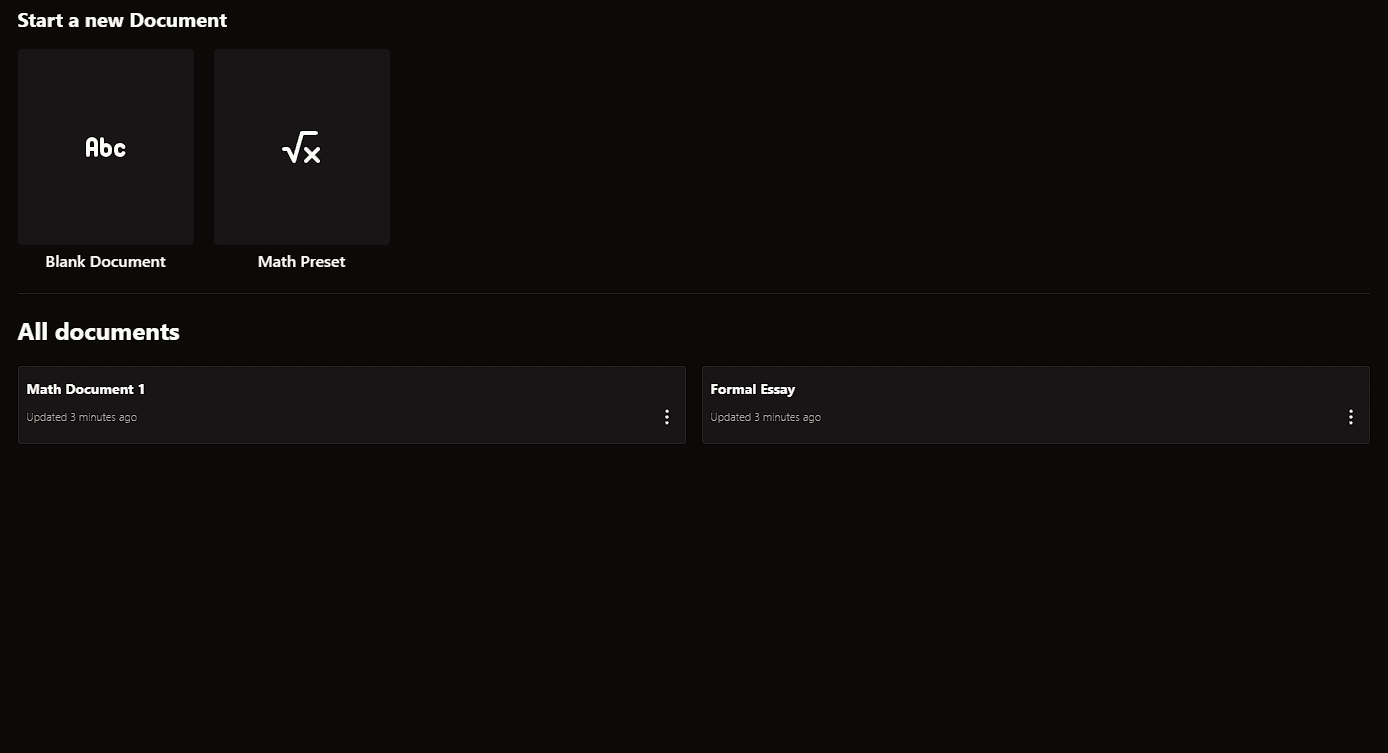
You start from a blank page or a maths preset.
Templates sit across the top of the index. The blank one is empty; the maths preset arrives with LaTeX examples already in it, which is the fastest way to see the editor doing something interesting.
Below that is every document you own, sorted by when you last opened it. Rename or delete from the row itself — there is no settings screen to go and find.
Send someone the link to a document and they land in the same file you are in. Their cursor shows up in your paragraph, labelled with their name, and moves while they type.
The keyboard is the whole interface.
There is a toolbar, and you can ignore it. Markdown syntax is rewritten into formatting the moment you finish typing it.
- #
- Heading
- Four levels, h1 through h4
- **bold**
- Bold
- *italic*, ~~strike~~ and `code` behave the same way
- -
- Bulleted list
- Tab nests the item, Shift-Tab lifts it back out
- 1.
- Numbered list
- >
- Blockquote
- ```
- Code block
- Shiki highlights it; Tab indents by two spaces
- $x^2$
- Inline maths
- Rendered with KaTeX — click an expression to evaluate it
- ---
- Horizontal rule
- -- and ...
- – and …
- Dashes, ellipses and quotes are corrected as you type
- ⌘P
- Print the document
- Ctrl P on Windows — prints the document view, not the page
What happens to a keystroke.
The interesting part of Kanjou is not the editor, it is what sits underneath it. Four steps, in order, every time you press a key.
- 1.0
The keystroke lands locally.
Tiptap applies the edit to your copy of the document straight away. Nothing waits on a round trip, so there is no gap between pressing a key and seeing the letter.
- 2.0
Yjs turns it into an operation.
Not “paragraph three now reads this”, but a small position-independent change that stays correct no matter what order it arrives in.
- 3.0
Every open copy applies it.
Order-independence is what makes two people in one paragraph safe. Both edits survive, and every screen converges on the same text without anyone taking a lock.
- 4.0End of sequence.
Firestore keeps the record.
The provider writes the merged state back to the database. Close the tab, reopen it next week, and the document picks up exactly where it was left.
It is running right now.
Kanjou is one of my own projects, not a product. Signing in creates your document list; nothing else is asked for. The source, including the parts I got wrong first, is on GitHub.